Free Online Biodata Maker
Create a professional marriage biodata in 2 minutes. Download a high-quality PDF instantly for free — no account or login required.
Loading...
Create a professional marriage biodata in 2 minutes. Download a high-quality PDF instantly for free — no account or login required.
Simple Process
No design skills needed. No registration. Your beautiful matrimonial biodata PDF is ready in under 5 minutes — free to start, no watermarks.
Enter your personal info, family background, education, career, Kundali details, hobbies, and partner expectations in our simple guided form.
Add a recent clear photo and preview exactly how your matrimonial biodata looks. Use our built-in crop tool for a perfect circular or square frame.
Pick from traditional, modern, or community-specific biodata designs — Hindu, Muslim, Christian, and more. Preview live before you download.
One click. Instant download. Your high-quality marriage biodata PDF is ready to share on WhatsApp, email, or print at home.
What Is It?
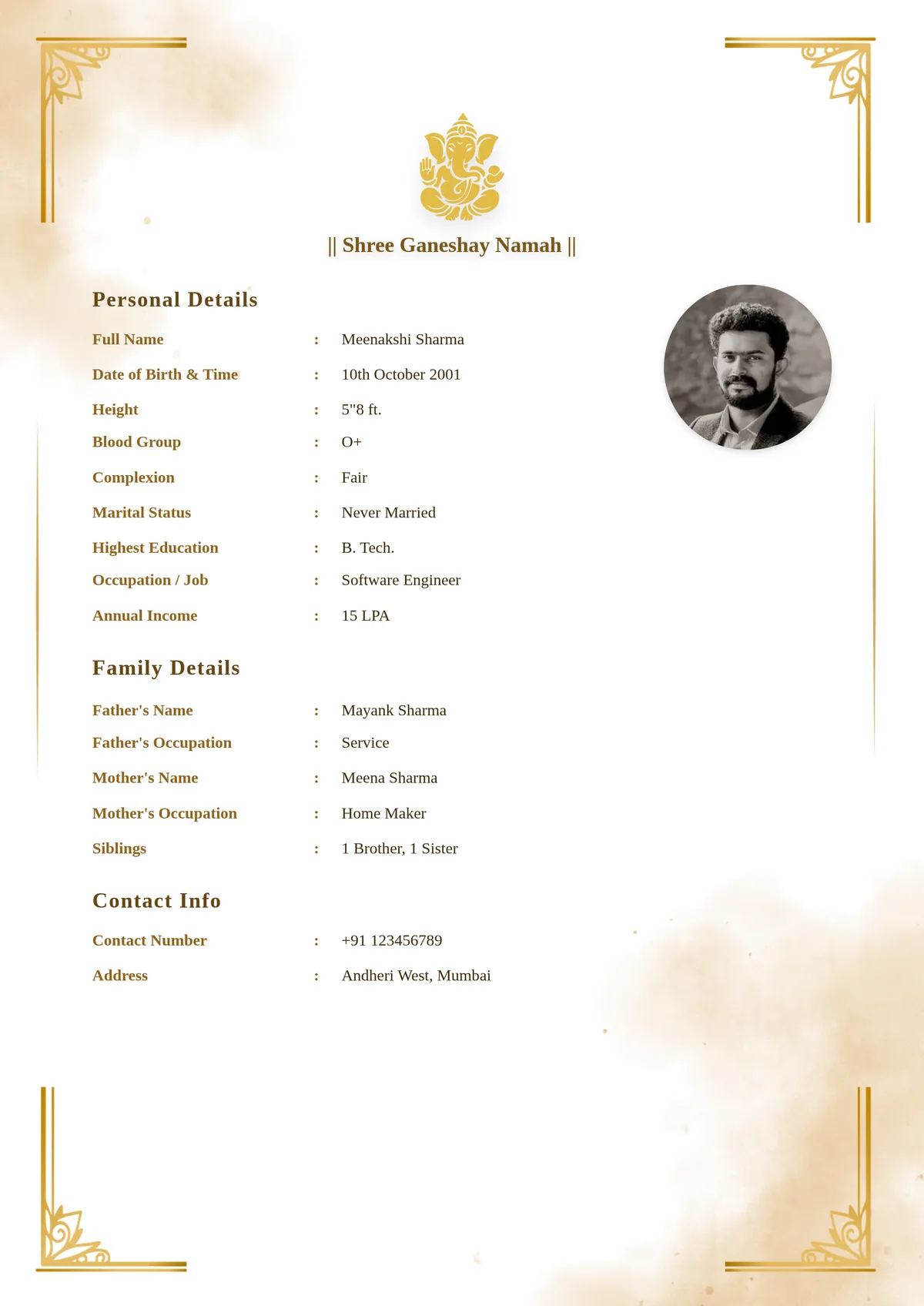
A marriage biodata — also called a matrimonial biodata, vivah biodata, lagna biodata, rishta biodata, or bio data for marriage — is a one-page document that introduces a person to prospective families during the Indian arranged marriage process. It is the matrimonial equivalent of a professional resume: your first impression before families meet in person.
Unlike a standard resume (which focuses on career history), a biodata for marriage covers the whole person — personal details, family background, religious and astrological information, hobbies, values, and expectations from a life partner. It is typically shared as a marriage biodata PDF on WhatsApp, via matrimony websites, and through family and community networks.
Many families search for a marriage biodata format Word download — but Word documents frequently break formatting across different phones and devices, making the wedding biodata format look unprofessional. A PDF generated with BiodataBuilder looks pixel-perfect on every device. Our free biodata maker supports all major Indian communities — create a Hindu matrimonial biodata, Muslim rishta biodata, Christian marriage biodata, a shaadi biodata format for a girl, or a regional language biodata in Hindi, Marathi, Gujarati, Tamil, or Telugu — free to start, no sign-up required.
Who needs a marriage biodata?
Anyone entering the arranged marriage process in India — Hindu, Muslim, Christian, Sikh, or any community.
How long should it be?
Always 1 page. Families review many profiles — a focused single page is far more effective than multiple pages.
PDF or Word document?
Always PDF. Word documents break formatting on different phones. A PDF looks identical on every device.
Is BiodataBuilder really free?
Yes — free to create and download, with no watermark and no registration. Premium designs are ₹20.
A complete marriage biodata covers these sections — all available in BiodataBuilder.
| Section | What to Include |
|---|---|
| Personal Details | Full name, DOB, height, blood group, complexion, marital status |
| Religious / Astrological | Religion, community/caste, Gotra, Rashi, Nakshatra, Manglik status (for Hindu families) |
| Education | Highest degree, college/university name, field of study |
| Career | Job title, company/employer, annual income (optional) |
| Family Background | Father & mother (name + occupation), siblings, family city |
| About Me | 3–5 sentence personal statement — personality, values, interests |
| Partner Expectations | 2–3 sentences on what you are looking for |
| Contact Details | WhatsApp number, email — parent or candidate |
Made For Everyone
BiodataBuilder is built for every Indian family entering the matrimonial process — any community, any language, any background.
Create a complete marriage biodata for a boy — with education, career, income, family background, and Kundali details structured professionally.
Create a shaadi biodata format for a girl — personal interests, family values, hobbies, and expectations for a life partner presented elegantly.
Include Gotra, Rashi, Nakshatra, Manglik status, and community-specific fields in a beautiful Hindu matrimonial biodata format.
Create a Muslim rishta biodata with appropriate community fields, religious background, and a professional layout for Islamic matrimonial introductions.
Create a biodata for second marriage or divorce with honest, clear presentation — covering your current status, background, and expectations confidently.
Create a vivah biodata in Hindi, lagna biodata in Marathi or Gujarati, thirumanam biodata in Tamil, or vivah biodata in Telugu — all fully supported.
A well-written biodata consistently gets more genuine responses from families.
State your actual income, height, and marital status clearly in your matrimonial biodata. Families that discover inaccuracies early will not proceed — honesty saves everyone time and builds trust from the start.
3–5 lines that feel like you. Mention what you do on weekends, your values, and what kind of partner you are hoping for. Avoid generic phrases like 'simple and humble' — be specific and authentic.
A smiling, well-lit, front-facing photo dramatically increases genuine responses to your marriage biodata. Avoid cropped group photos or blurry images — a clear photo builds confidence in families.
A tight, well-structured biodata for marriage is far more readable than a two-page document. Use tables and clear sections — families review many profiles, so a focused single page is far more effective.
For Hindu families, including Rashi, Nakshatra, Gotra, and Manglik status upfront in your Hindu matrimonial biodata avoids delays, shows preparedness, and speeds up the matching process.
2–3 sentences on partner preferences is enough. Keep the tone open and positive in your biodata for marriage — hard requirements listed bluntly can feel off-putting to prospective families.
Every community has specific expectations and fields. Read our dedicated guides:
Expert Guides
Not sure what to write? Our expert guides cover every section — from the About Me paragraph to Kundali details.
FAQ
Everything you need to know about creating your marriage biodata online — free, private, and instant.
Use BiodataBuilder — pick a template, fill in your details, and download your finished PDF in minutes. Everything runs in your browser. No app, no registration, no design skills needed.
Full name, DOB, height, religion/community, education, career (job title, company, income), family background (parents, siblings), hobbies, About Me, partner expectations, and contact details. Hindu families also typically include Rashi, Nakshatra, Gotra, and Manglik status.
Yes. Create and download for free, with no watermark and no subscription. Premium designs are ₹20.
No. Just open BiodataBuilder, fill in your details, and download instantly. Your data stays entirely on your own device — nothing is stored on our servers.
Yes. Everything you enter stays in your browser's local storage and is never uploaded to any server. Your biodata data is completely private and never shared.
Yes. BiodataBuilder supports regional Indian formats. You can also explore our dedicated guides for Hindi, Marathi, Gujarati, Tamil, and Telugu biodata.
Traditional ornate designs, modern minimal layouts, and community-specific formats for Hindu, Muslim, Christian, Jain, and Sikh families — with the right fields for each community built in.
Yes. Once done, download a high-quality PDF instantly — ready to print, email, or share on WhatsApp with family and matchmakers.
A marriage biodata is for matrimonial introductions — family background, personal details, religious/astrological information. A resume is for job applications. They serve completely different purposes.
3–5 sentences covering your personality, values, interests, and what you are looking for in a partner. Keep it genuine and specific — avoid generic phrases. See our About Me guide for sample text.
Yes. BiodataBuilder is fully mobile-friendly. Open it in any browser on your phone, fill in your details, and download your PDF — no app installation needed.
Yes. Our builder supports all marital statuses. State your status clearly (Divorced/Widowed) and fill in your details as usual. Read our guide on Biodata for Second Marriage for detailed tips.
Canva is a general design tool — you have to manually design every field from scratch. BiodataBuilder is built specifically for Indian marriage biodatas: purpose-built templates with all the right sections (Gotra, Kundali, About Me, Partner Expectations) pre-filled, and a perfect PDF download in minutes. No design skills needed.
You can, but you would need to build the layout and sections from scratch, and the result is often plain. BiodataBuilder generates a professionally designed Indian biodata PDF in under 5 minutes with zero formatting effort.
Most families prefer a single, prominent photo — it keeps the biodata clean and professional. BiodataBuilder supports one high-quality photo with a circular or square frame. If you want a second photo, share it alongside the PDF in the WhatsApp message.
Join thousands of Indian families who created beautiful matrimonial biodatas in minutes — free to start, no registration required.
Create Free Biodata Now