Rajan Kumar
Founder, BiodataBuilderRajan built BiodataBuilder to help millions of Indians create professional marriage biodatas easily. With expertise in Indian matrimonial traditions and 2M+ biodatas created on the platform, his guides cover every regional format, community custom, and modern best practice.
Last Updated:
How to Share Your Biodata on WhatsApp: Tips & Best Practices
TL;DR - The Quick Summary
- Always use PDF: Never send your biodata as an Image (JPG/PNG) or Word document (.docx). WhatsApp heavily compresses images, and Word layouts break on phones.
- Send as Document: Use the "Document" attachment option in WhatsApp to ensure the file isn't compressed and retains pristine quality.
- Context Matters: Never just drop a file. Include a brief, polite greeting message stating whose biodata you are sharing.
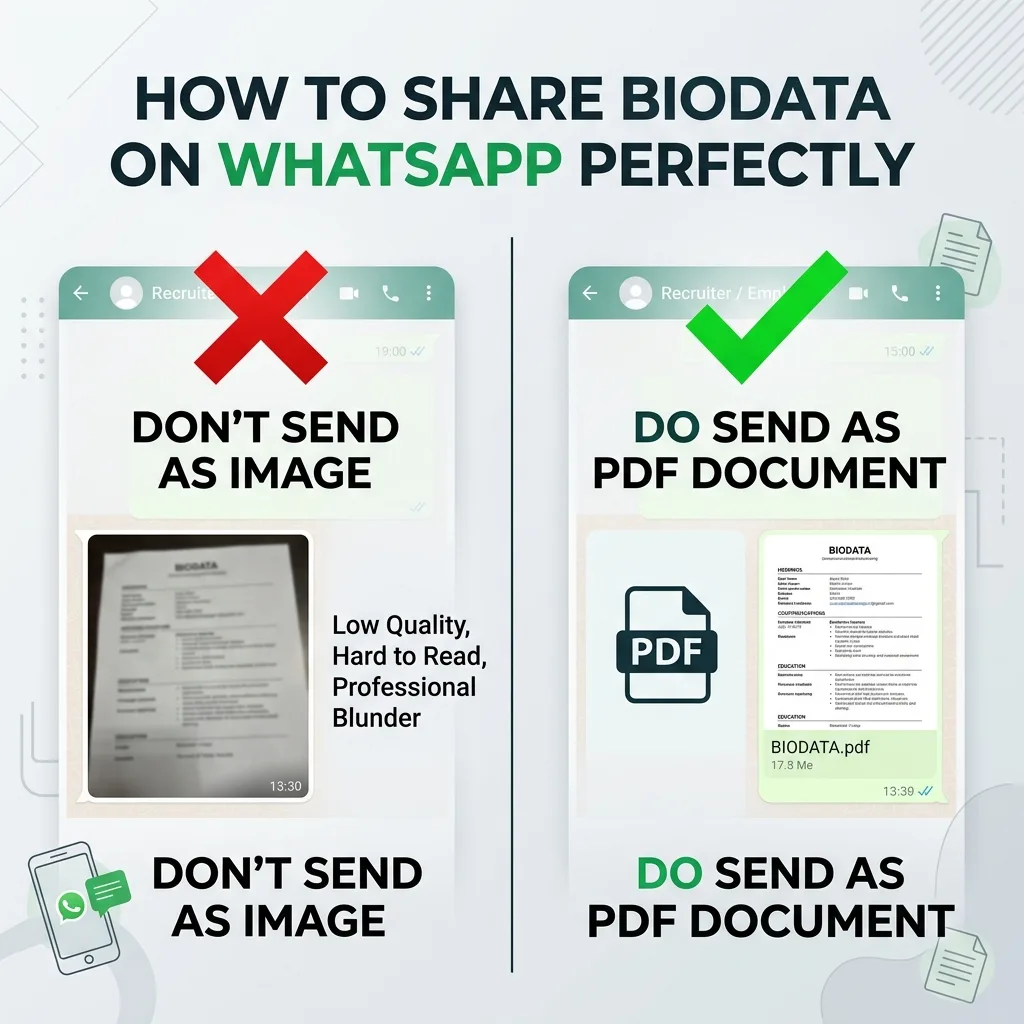
You've spent hours perfecting your marriage biodata. You have professional photos, carefully worded "About Me" paragraphs, and all the required astrological details. But if you share it incorrectly on WhatsApp, all that effort goes to waste.
In the modern arranged marriage process, the first impression isn't made in a family living room; it's made on a smartphone screen. A poorly formatted message, a blurry image, or a file that refuses to open can lead to instant rejection, regardless of how qualified the candidate is.
2. Why WhatsApp is the New Matrimonial Hub
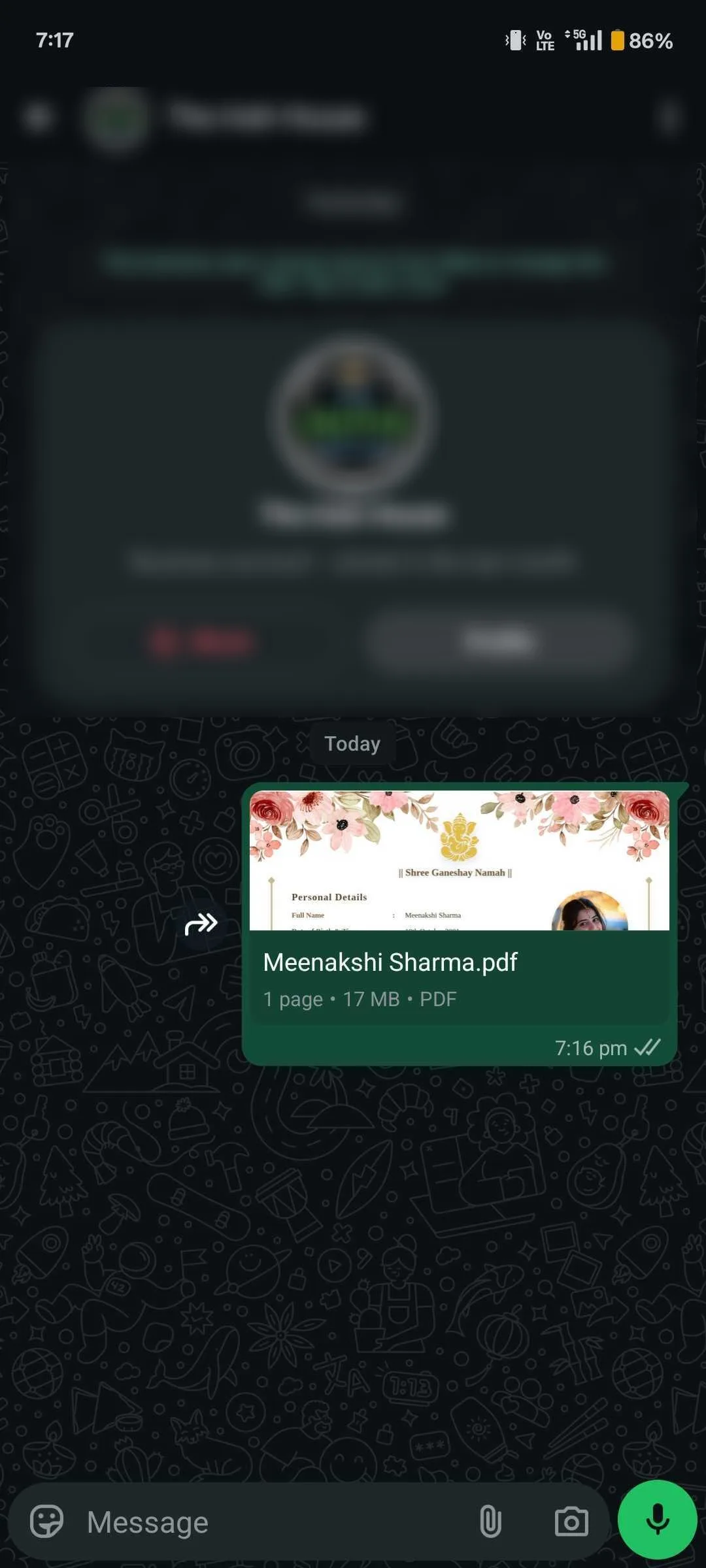
Just a decade ago, families exchanged printed physical copies or relied entirely on matrimonial websites. Today, over 90% of initial profile exchanges in India happen via WhatsApp, which has over 2 billion active users worldwide.
Why the shift? WhatsApp allows for instant sharing among family members ("forwarding" to aunts, uncles, and the candidate). It bypasses the rigid structure of matrimonial sites, allowing for direct communication. Because it is the primary channel, your document must be optimised for a small, vertical screen. If a family has to pinch, zoom, and squint to read your educational details, you are creating friction.
This rule applies to everyone, whether you are creating a biodata for a boy or a shaadi biodata for a girl. The medium dictates the message.
3. PDF vs Image vs Word: Which to Send?
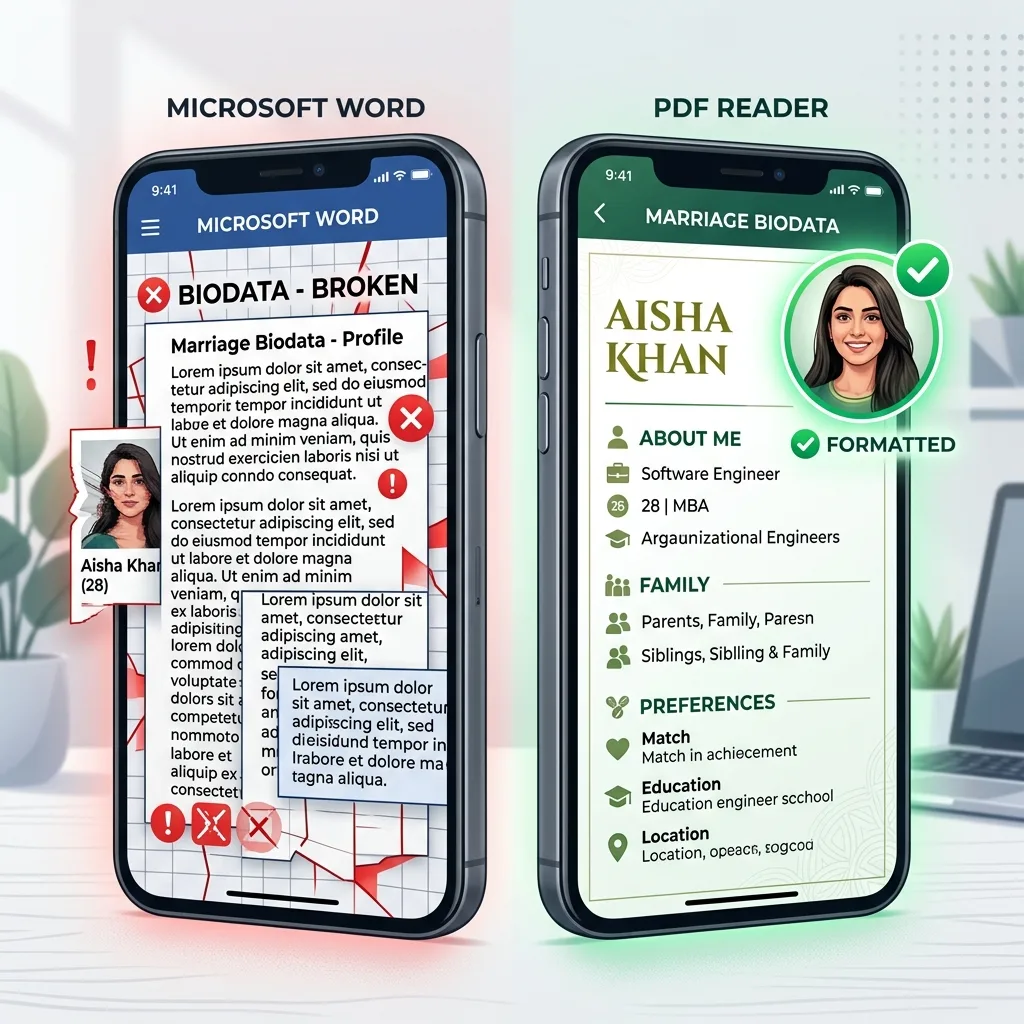
The answer is absolute: Always send a PDF. Here is exactly why sending an image or a Word document (.docx) is a mistake that could cost you a good match.
| Format | The Problem / Advantage | Verdict |
|---|---|---|
| ✅ PDF Document | Preserves layout perfectly. Text remains crisp and readable at any zoom level. Prevents accidental editing. Looks highly professional. | The Gold Standard |
| ❌ Image (JPG/PNG) | WhatsApp heavily compresses images to save bandwidth. The text becomes blurry, pixelated, and unreadable, especially when forwarded multiple times. | Never Use |
| ❌ Word (.docx) | Layouts, fonts, and tables completely break depending on the recipient's phone model (iPhone vs Android) or installed apps. | Never Use |
4. How to Send as a Document (iOS & Android)
Even if you have a PDF, you must send it as a Document, not as a Media attachment. Sending it as media causes WhatsApp to treat it like a photo, subjecting it to compression algorithms.
On Android:
- Open the chat.
- Tap the Paperclip (📎) icon in the message bar.
- Tap Document (Do NOT tap Gallery).
- Browse to your PDF file and select it.
- Tap Send.
On iPhone (iOS):
- Open the chat.
- Tap the Plus (+) icon next to the message bar.
- Tap Document.
- Select your PDF from the Files app.
- Tap Send.
5. Mobile-First Formatting Tips
When comparing a modern vs traditional biodata, modern templates win because they are designed for vertical smartphone screens. Follow these rules for mobile readability:
- One Page Only: Attention spans are short. Keep your biodata to a single page. Multi-page documents require scrolling and often lose the reader's interest.
- Clear Hierarchy: Use bold headings for sections like 'Education', 'Family Background', and 'Astrological Details'.
- Larger Fonts: A 10pt font might look fine on a laptop, but it's unreadable on a 6-inch phone screen. Use 12pt or 14pt for body text.
- White Space: Don't cram text together. Leave breathing room between paragraphs.
6. What to Write in the Message (Scripts)
Never just drop the PDF file into a chat without a message. It appears rude, impersonal, and transactional. You should always include a polite, culturally appropriate cover message. Remember, a marriage biodata is distinctly different from a job resume; warmth and respect are required.
Script 1: Sending to an Uncle/Aunty (First Contact)
Hope this message finds you well. As discussed over the phone, I am sharing the biodata and recent photographs for my daughter, Priya.
Please take your time to review it. Do let us know if you need any further information or Kundali details. We look forward to hearing from you.
Warm regards,
Rajesh Sharma"
Script 2: Sending directly to the Candidate
It was nice connecting with you earlier today. As promised, I have attached my biodata for your reference.
Looking forward to learning more about you. Let me know when you have some time for a quick call this weekend.
Best,
Anjali"
Script 3: Forwarding a Sibling's Biodata
I am reaching out regarding a matrimonial match for my younger brother, Amit. We received your reference from Sharma ji.
I have attached Amit's biodata and a few recent pictures for your review. Please go through them with your family, and if you find the profile suitable, we can take the conversation forward.
Best regards,
Vikram"
Script 4: The Transition (Moving from a Matrimony App to WhatsApp)
This is Rahul from Jeevansathi (Profile ID: JS12345). It was great chatting with you on the app!
As requested, I am sharing my detailed biodata PDF here for a better overview. Take your time to read through it, and let me know when you are comfortable having a quick phone call.
Looking forward to it."
Script 5: The Polite Follow-Up (Left on "Read" for 4-5 days)
I hope you and your family are doing well.
I wanted to follow up on the biodata I shared for Priya earlier this week. We completely understand if you are busy or if the profile isn't exactly what you are looking for right now.
Just checking in to see if you had a chance to review it. Let us know either way.
Thank you,
Rajesh"
Note: Make sure your biodata includes a well-written personal section. Read our guide on how to write an ‘About Me’ for marriage if you need help.
Script 6: WhatsApp Message in Hindi (हिंदी में)
For families who prefer sending the accompanying message in Hindi, here are two ready-to-use templates in Devanagari.
हिंदी संदेश 1 — चाचा/चाची को (To Uncle/Aunty)
“नमस्ते चाचाजी/चाचीजी,
आशा है आप सब कुशलमंगल हैं। जैसा कि फ़ोन पर बात हुई थी, मैं हमारे बेटे/बेटी का बायोडाटा भेज रहा/रही हूँ। कृपया इसे अपने परिवार के साथ देखें।
यदि कोई और जानकारी चाहिए — जैसे कुंडली या फ़ोटो — तो बेझिझक पूछें। आपके जवाब का इंतज़ार रहेगा।
सादर,
[आपका नाम]”
हिंदी संदेश 2 — सीधे लड़के/लड़की को (Direct Message)
“नमस्ते,
मुझे आपका नंबर [परिचित का नाम] जी से मिला। रिश्ते के संदर्भ में मैं अपना बायोडाटा शेयर कर रहा/रही हूँ।
कृपया एक बार देखें और बताएं कि आपको कैसा लगा। अगर ठीक लगे तो हम आगे बात कर सकते हैं।
धन्यवाद।”
💡 Pro Tip: Name Your PDF File Properly
When you download your PDF from BiodataBuilder, rename the file before sending. Use a clean, professional format:
✅ Priya-Sharma-Biodata.pdf
✅ Rahul-Gupta-Biodata-2026.pdf
❌ Untitled_Document_v4_FINAL.pdf
❌ IMG_20261203_biodata.pdf
A clean file name signals professionalism the moment the family sees it in their WhatsApp file list.
7. File Size & Security Tips
When sharing your life's details online, security is paramount. WhatsApp is end-to-end encrypted, making it safe for 1-on-1 sharing, but you must still exercise caution.
Managing File Size
Keep your biodata PDF under 2 MB. Large files (5MB+) take a long time to download on slow mobile networks and consume the recipient's phone storage. If you use a heavy, image-filled second marriage biodata or a multi-page job-style CV, it will be too large. BiodataBuilder automatically optimizes your PDF to a highly efficient 200–500 KB without losing image quality.
Privacy: What NOT to Share Publicly
It is common in India for biodatas to be forwarded through extended networks of aunties, uncles, and community WhatsApp groups. Because you cannot control where your PDF ends up, do not include:
- Your exact home address (just state the city and neighborhood, e.g., "Andheri West, Mumbai").
- Your Aadhaar Card number or PAN number.
- Your exact company name if you have privacy concerns (you can write "MNC in IT Sector" instead of "Google").
Beware the "Forwarded" Tag
When sending your biodata to a new family, never use the WhatsApp forward button from a previous chat. Doing so adds the dreaded "Forwarded" (or worse, "Forwarded many times") label at the top of the message. This makes the family feel like they are just one of dozens of people receiving a mass-distributed profile.
Always take the extra 10 seconds to attach the document fresh from your phone's storage. It shows that you are putting individual thought and care into reaching out to them specifically.
Protecting Your Photographs
Unfortunately, photo misuse is a reality on the internet. While your main PDF will have a standard professional photograph embedded, families will inevitably ask for "more casual pictures." When sending additional photos on WhatsApp:
- Use the "View Once" Feature: When sending extra pictures, tap the '1' icon in the WhatsApp caption bar before sending. The recipient can view the photo once, and WhatsApp actively blocks them from taking screenshots or saving the image to their phone.
- Avoid Unnecessary Group Sharing: Try to share photos directly with the primary decision-makers rather than posting them into large family WhatsApp groups where you lose track of who has seen or saved them.
8. WhatsApp Matrimonial Etiquette
Navigating arranged marriage conversations on WhatsApp requires a delicate balance of directness and traditional respect. Whether you are sending or receiving, follow these unwritten rules.
Responding to a Profile
If you receive a biodata, basic etiquette dictates a timely and clear response. Leaving a family "on read" (blue ticks) is considered highly disrespectful.
If you are interested:
"Thank you for sharing Priya's biodata. We have reviewed it and found the profile very suitable. We would love to share Rohan's details in return. Let us know a good time to speak."
If you are NOT interested:
"Thank you for sharing the profile. Unfortunately, we are looking for a slightly different astrological match at this time. We wish Priya all the very best in her search."
Asking for More Pictures Politely
It is completely normal to want to see more photos beyond the professional studio shots in the PDF. However, demanding them bluntly ("Send more pics") can be a major turn-off. Try a softer approach:
Handling "Ghosting" Gracefully
Sometimes, despite your polite follow-up (see Script 5), the other party simply stops responding. While frustrating, it is best not to send angry or demanding messages. If they haven't replied after a week and one polite follow-up, assume they have moved on and archive the chat. In the matrimonial world, silence is often a soft rejection.
Timing is Everything
Never send a marriage biodata late at night (after 9 PM) or extremely early in the morning. Matrimonial discussions are family matters, not casual chats. The best times to share a biodata are on weekends (Saturday/Sunday mornings) or weekday evenings between 6 PM and 8 PM, when families are likely to be relaxed and together.
9. Common WhatsApp Biodata Blunders
Even with a perfect PDF, these common WhatsApp mistakes can instantly ruin a first impression. Make sure you avoid these completely:
Sending a 20 MB File
Large files eat up mobile data and phone storage. Many people will simply cancel the download if it takes too long. Keep your PDF under 2 MB (Ideally 200-500 KB).
Unprofessional WhatsApp DP / Status
When you message them, they will immediately check your WhatsApp Display Picture. If your DP is a party picture with a drink or a blurry meme, it sets the wrong tone. Use a decent, clear picture of yourself.
Grammatical Errors in the Cover Message
"pls find attached biodata send ur details asap" — This looks highly transactional and careless. A poorly written WhatsApp message ruins the impression before the beautifully formatted PDF is even opened. Use full sentences, proper punctuation, and a respectful tone.
Create a WhatsApp-Optimized PDF
Don't risk your first impression with a blurry image or a broken Word document. Generate a perfectly sized, mobile-friendly PDF in 5 minutes.
Start Building Now10. Final Pre-Send Checklist
Before you hit the send button on WhatsApp, run through this quick checklist to ensure a flawless first impression:
- Is the file format specifically .pdf (and not .docx, .jpg, or .png)?
- Is the file size under 2 MB for fast downloading?
- Did you select the 'Document' attachment option in WhatsApp instead of 'Gallery'?
- Does the file name look professional (e.g., 'Rohan-Sharma-Biodata.pdf' instead of 'Untitled_Document_v4.pdf')?
- Did you include a respectful cover message introducing the biodata?
- Is the recipient a trusted contact (and not a public group)?
- Are all photos embedded cleanly inside the PDF?
Crucial Reminder: Always open the PDF on your own phone first before sending it to anyone else to verify the text size is readable on a mobile screen.
11. Frequently Asked Questions
Should I send my biodata as a PDF or image on WhatsApp?
Always send as a PDF. WhatsApp compresses images heavily, making text blurry and unreadable. When you send a PDF as a 'Document', WhatsApp does not compress it and it arrives in perfect quality.
How do I send a PDF as a document on WhatsApp?
Open the conversation → tap the paperclip/attachment icon → select 'Document' (NOT Gallery or Photo) → choose your PDF file → send. The recipient will see a document preview card.
What size should a WhatsApp biodata PDF be?
Ideally under 2 MB. BiodataBuilder generates PDFs of typically 200–500 KB, which is perfect. Larger files take time to download on mobile connections.
What should I write when sending a biodata on WhatsApp?
Do not just drop the file. Write a brief, respectful message: 'Namaste Aunty/Uncle, Hope this finds you well. As discussed, please find [Name]'s biodata attached. Do let us know if you need any further information. With regards, [Your Name]'
Is it safe to share biodata on WhatsApp?
Only share with trusted contacts directly — not in large public groups. Do not include your Aadhaar number, full home address, or PAN.
Can I share my biodata as a WhatsApp Status?
No, sharing your biodata as a WhatsApp Status is highly discouraged. Statuses are public and compress images terribly, making them unreadable. More importantly, it looks unprofessional. Always send it directly to interested families.
How do I send my biodata to someone whose number I just got from a relative?
Start with a polite introduction mentioning the mutual connection. For example: 'Namaste, this is Rahul. I received your number from Sharma ji regarding a matrimonial match. Please find my biodata attached for your review.'
Should I send my Kundali in the same PDF or separately?
It is best to send the Kundali as a separate file or image rather than embedding it inside the main biodata PDF. Some families do not believe in astrology, and keeping it separate keeps your main profile clean.
Conclusion
In the fast-paced world of modern matchmaking, friction is your enemy. If a family has to struggle to open a broken Word document or squint to read a blurry photo, they will likely move on to the next profile.
By exporting your biodata as a clean, mobile-optimized PDF and sending it as a Document with a polite WhatsApp message, you demonstrate professionalism, respect, and technological competence. It is a small detail that drastically improves your chances of a positive response.
Generate a WhatsApp-Ready PDF
Under 500KB • Mobile-Friendly • Crystal Clear Text
Our biodata PDFs are perfectly optimized for WhatsApp sharing. Create yours for free in under 5 minutes without any signup.
Create Biodata PDF FreeReady to create your biodata?
Use our free builder to make a WhatsApp-ready marriage biodata PDF in minutes.
Open free biodata maker