Rajan Kumar
Founder, BiodataBuilderRajan built BiodataBuilder to help millions of Indians create professional marriage biodatas easily. With expertise in Indian matrimonial traditions and 2M+ biodatas created on the platform, his guides cover every regional format, community custom, and modern best practice.
Last Updated:
Biodata Contact Details & Privacy — Safe Sharing
Families need a way to reach you — they do not need your flat number, Aadhaar, or office desk phone on day one. This guide covers what contact details belong in a marriage biodata, when to hide the full address, and how to share safely on WhatsApp.
TL;DR
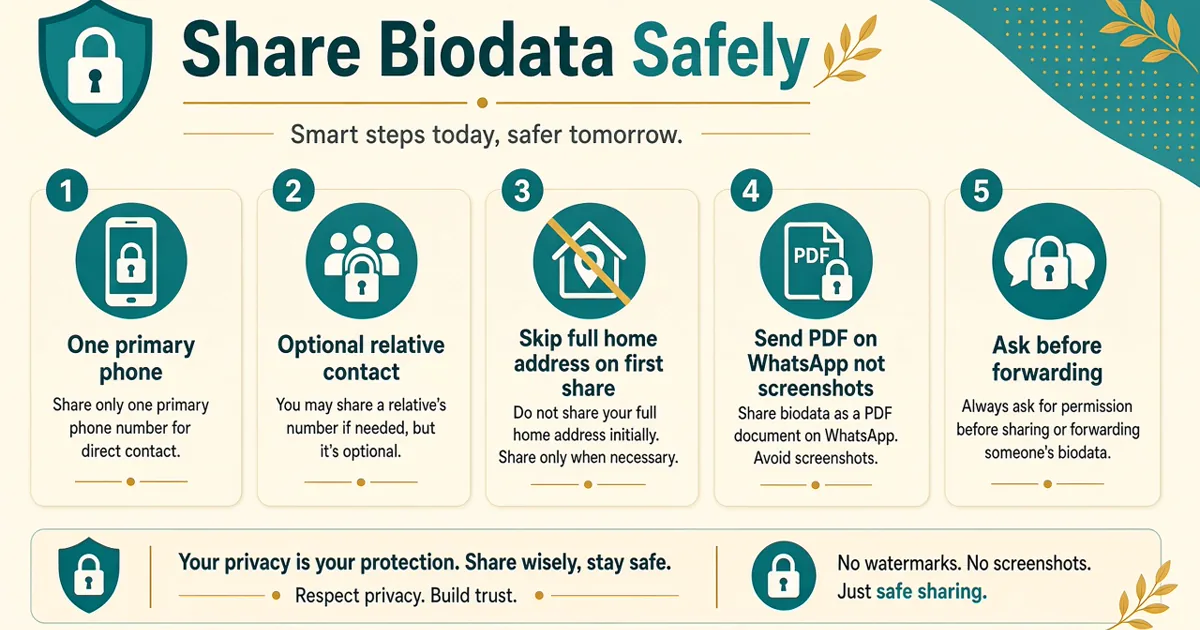
- Put one clear contact (often a parent) + city — skip full address and government IDs on first share.
- Send PDF as a WhatsApp Document to trusted people; never Status or public groups.
- Build a privacy-safe PDF in the free biodata maker.
Pair this with biodata format for WhatsApp, PDF download guide, biodata format, and what to include. Read our privacy policy for how BiodataBuilder handles your data.
Create a one-page PDF with only the contact fields you choose.
Open makerWhat contact details to put
A good contact block answers one question: who should they call first? It is not a dump of every number in the family WhatsApp group. See sample layouts in marriage biodata samples.
| Field | Recommended | Skip early |
|---|---|---|
| Phone | One labelled number (Father / Mother / Self) | Office landline, multiple mobiles |
| Same as primary if they should message first | Status sharing, group broadcasts | |
| Optional personal or parent email | Work email with company domain | |
| Relative | Elder sibling / uncle who handles proposals | Every cousin's number |
Example line: Contact: +91 98XXX XXX21 (Father — Mr. Sharma). Clear labels reduce awkward wrong-person calls.
When to hide the full address
City and approximate locality are enough for marriage biodata screening. Full flat/house numbers help only after both sides agree to visit or courier documents.
- Safe early: "Currently Bengaluru (Whitefield); Native: Coimbatore"
- Too early: exact flat, landmark near school/office, or Google Maps pin
- Never publish Aadhaar / PAN / passport numbers on any biodata PDF
More field guidance: biodata tips & mistakes · second marriage biodata. For India's digital privacy and MeitY resources, see MeitY.gov.in — and never publish Aadhaar or PAN on a biodata PDF.
Email vs phone & using a relative's number
Phone wins for Indian matrimonial follow-ups — elders call or WhatsApp. Email is optional and slower; use a personal Gmail, never a company ID that reveals employer domain and gets scanned by IT filters. If both exist, put phone first and email as a secondary line.
Why families use a relative's number
Putting Father / Mother / Elder Brother as the labelled contact is normal, not evasive. It filters junk calls, lets parents screen tone, and protects women and working professionals from random late-night messages. Tell the relative beforehand so they know to answer unknown numbers politely.
- Label clearly: "Contact: +91… (Mother — Mrs. Kulkarni)".
- Avoid listing three siblings plus both parents — it looks chaotic.
- If the relative lives in another city, still fine; note "Family contact (Pune)" if helpful.
- Self number can move onto a later PDF once mutual interest is clear.
City-only vs full address: write "Currently: Noida (Sector 62 area); Native: Lucknow" on first share. Save wing/flat/pin for when a visit is booked. More on field honesty: biodata tips · height, weight & age · income in biodata.
WhatsApp sharing safety
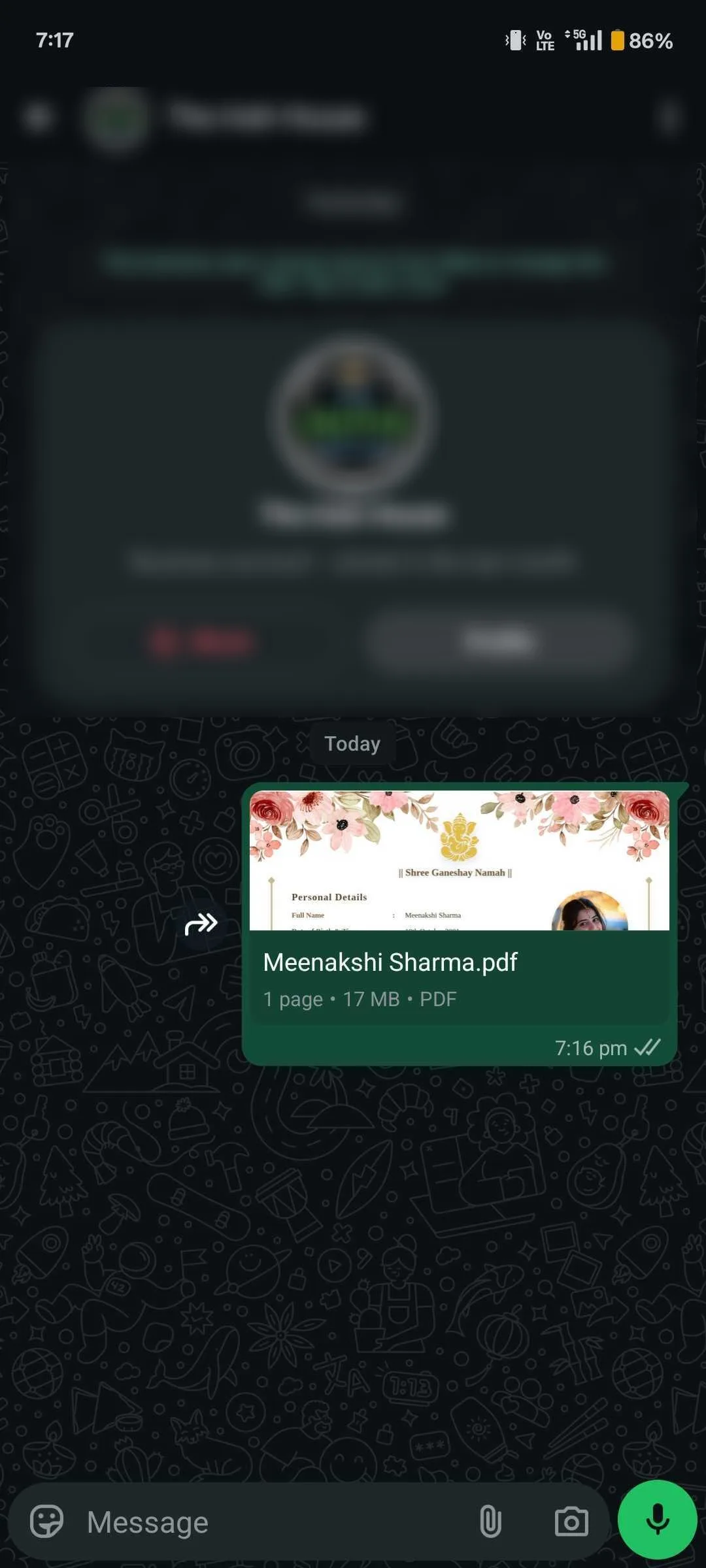
Follow the WhatsApp biodata format rules: send as Document, keep under ~2 MB, and write a short intro message — never dump a file into a random group.
- Prefer 1:1 chats with known relatives or the other family's designated contact.
- Do not post biodata on Status — it is public to your contacts and compresses badly.
- Assume anything sent can be forwarded; design the PDF for that reality.
Women's safety tips for the first WhatsApp reply
When a number from a biodata (or a "interested" forward) messages directly, treat the first reply as a safety gate — not a date chat. These habits are common advice among Indian families and do not make you "difficult."
- Prefer that parents exchange the first messages; if you reply yourself, keep it daytime and factual.
- Do not share live location, hostel room number, or office floor in early chats.
- Voice/video call only after both families confirm the profile — and preferably with a parent nearby for the first call.
- Block and tell your family if the person pressures for photos, Aadhaar, or meets without elders.
- Keep the biodata photo professional — see photo guidelines — so you are not asked for "casual pics" to "verify."
Second-marriage or divorced profiles should be even stricter on early contact — use a guardian number and skip workplace maps. Guide: second marriage biodata · shaadi biodata for girl.
Brokers vs family introductions
Family-introduced matches usually deserve a fuller contact block. Broker or large-list sharing deserves a redacted PDF: parent phone, city only, no workplace address.
| Family / known match | Broker / wide list |
|---|---|
| Parent + optional self number | Parent only |
| City + locality OK | City only |
| Email optional | Skip email |
Broker workflow that stays safer
Ask how the broker stores files (phone gallery vs laptop folder), whether they forward without asking, and whether they add your number to broadcast lists. Give them the redacted PDF only. If they insist on Aadhaar "for verification," decline — verification happens later between families, not via a widely copied PDF. Prefer community aunties who introduce matches one by one over agents who mass-blast fifty profiles nightly.
For photo quality on broker copies, still use a clear solo portrait — blurry files get ignored. See biodata photo guidelines · WhatsApp format · biodata for boy.
Screenshot leakage & DigiLocker / ID myths
Once a PDF is open on someone's phone, a screenshot can land in a family group you never approved. Watermarks do not stop that. Design for leakage: city instead of flat, parent phone instead of your office DID, no salary slip images pasted into the biodata. Salary discussion belongs in a later call — see income & salary in biodata.
Do not attach Aadhaar or DigiLocker files
Some relatives ask for "ID proof with biodata." A marriage biodata is not a KYC form. Never staple Aadhaar, PAN, passport, DigiLocker PDFs, or employee ID scans to the WhatsApp biodata. Those documents are for in-person trust later — and even then, share masked copies only when both sides agree. Publishing Aadhaar numbers or QR codes on a matrimonial PDF is a privacy and fraud risk.
- Aadhaar / PAN / passport number printed on the biodata page
- DigiLocker driving licence or degree certificate attached "for trust"
- Honest education and family lines without document scans — education & career · about my family
For broader digital privacy context in India, see MeitY.gov.in and never treat a matrimonial PDF as an identity vault.
How to revoke or update a PDF already forwarded
WhatsApp cannot recall a Document from every phone that saved it. "Revoking" is social and practical, not a delete button:
- Rebuild a clean PDF in BiodataBuilder with updated contact or removed address — do not black-box the old file.
- Message the people you sent it to: "Please use this updated biodata; ignore the earlier PDF." Attach the new Document.
- Ask key relatives not to re-forward the old version; if a broker has it, send the redacted update and request they replace the file.
- If a number was exposed, consider a temporary WhatsApp privacy change (last seen / about) and tell family to use the parent contact going forward.
Changing phone numbers on the biodata is easier than scrubbing the internet — another reason to start with a parent line. PDF rebuild guide: biodata format PDF download · biodata format hub.
Sample privacy-safe contact blocks
Copy the pattern, not the fake numbers. Keep labels in English or your regional language consistently with the rest of the sample biodata.
Wide / broker version
Contact: +91 98XXX XXX10 (Father — Mr. R. Mehta)
Location: Currently Ahmedabad; Native: Rajkot
No email · No flat · No self mobile
Family-introduction version
Contact: +91 98XXX XXX10 (Father) / +91 98XXX XXX22 (Self — WhatsApp)
Email: firstname.family@email.com (optional)
Location: Whitefield, Bengaluru; Native: Coimbatore
Woman / parent-led version
Contact: +91 98XXX XXX45 (Mother — Mrs. S. Iyer)
Location: Currently Chennai (Adyar area); Native: Madurai
Self number shared only after both families speak
Place these under personal details alongside honest height/DOB — height, weight & age — and a calm photo from photo guidelines. Regional layouts: Hindi biodata · NRI format.
Need two versions? Duplicate your draft and strip address fields for brokers.
Create free biodataWatermark myths
A diagonal "Confidential" watermark does not stop screenshots, print-outs, or re-uploads. Treat it as a mild deterrent, not security. Real privacy = fewer recipients + fewer sensitive fields. Prefer a clean PDF biodata over a cluttered watermarked image.
Redacting a PDF safely
Drawing a black box over text in a photo editor often leaves text selectable underneath. Safer: open your draft in BiodataBuilder, remove address / extra phones, and download a new PDF. Never attach ID scans to the biodata file.
Structure tips: biodata format hub · full field list
Pro tips for contact privacy
- Label the contact clearly — Father / Mother / Self — so the other family knows who to message.
- Keep two versions: a fuller family PDF and a redacted broker PDF.
- Build both in a free BiodataBuilder template, export PDF, and send as a WhatsApp Document.
- City + locality is enough for first-round sharing; save the flat number for later.
- Assume every file can be forwarded — design the PDF for that reality.
- For Aarav Singh, a family PDF may show father WhatsApp; the broker PDF shows the same father number but drops the candidate's personal email until interest is mutual.
- Never paste Aadhaar, PAN, or passport into captions when forwarding — regenerate a clean file instead of blacking out pixels. More structure: one-page biodata.
- If a relative asks for "full address for kundali," share birth place/city privately — not a Google Maps pin on the biodata. See kundali details in biodata.
Common mistakes
- Putting full home address or Google Maps pin on first-round PDFs
- Publishing Aadhaar, PAN, or passport numbers anywhere on the biodata
- Posting biodata on WhatsApp Status or public groups
- Sending the same unredacted file to large broker lists
- Blacking out text in an image instead of regenerating a clean PDF
Privacy checklist
- One labelled contact (Father / Mother / Self) — not three random numbers
- City + locality only; no flat/house number on first PDF
- No Aadhaar, PAN, passport, or employee ID
- PDF sent as WhatsApp Document — not Status or group blast
- Separate 'wide share' PDF for brokers vs 'family' PDF for known matches
- Ask before forwarding someone else's biodata
Build a privacy-safe PDF biodata
Choose only the contact fields you need — then share as a clean WhatsApp Document.
Create free biodataFAQ
What contact details should I put in a marriage biodata?
Include one primary phone (often a parent or guardian), optionally a secondary number, and a polite email if useful. City and area are enough for early sharing — avoid full house address, Aadhaar, PAN, or office landline until trust is established.
Should I put my personal mobile number on the biodata?
Many families prefer a parent or elder sibling as the first contact. If you put your own number, use it only on versions shared with known relatives or after a serious interest — not on copies sent to large broker lists.
Is it safe to share biodata on WhatsApp?
Yes if you send as a Document PDF to trusted people, never as a Status or in public groups. Keep sensitive IDs off the file and prefer city-level location until families speak.
Should I include my full home address in biodata?
No for first-round sharing. Write city and locality (e.g., 'Andheri West, Mumbai') or 'Native: Jaipur; Currently: Bengaluru'. Share the full address only after both families are comfortable.
Are marriage brokers safe to send biodata to?
Use a redacted version for brokers: parent contact, city only, no Aadhaar/PAN, no exact flat number. Prefer family-introduced matches when possible, and ask how the broker stores and forwards files.
Do watermarks protect my biodata PDF?
A watermark does not stop screenshots or re-forwarding. It may discourage casual misuse, but real protection comes from limiting who receives the file and what data is on it.
How do I redact sensitive details from a biodata PDF?
Do not black-out text in an image editor alone — recreate the PDF without those fields. Best approach: edit in BiodataBuilder, omit address/IDs, and download a fresh PDF for wider sharing.
Can I put a relative's WhatsApp number instead of mine?
Yes — this is common and often preferred. Label it clearly (Father / Mother / Elder Brother) so the other family knows who to message first.
Should second-marriage biodatas use different contact privacy?
Yes — share even more carefully. Use a guardian or trusted relative as contact, keep workplace and children's school details off early PDFs, and send only after mutual interest.
Conclusion
Good biodata contact details make you reachable without oversharing. One labelled phone, city-level location, WhatsApp Document delivery, and a redacted broker version cover almost every Indian matchmaking scenario — start with a free privacy-safe PDF template.
What to Read Next
Ready to create your biodata?
Use our free builder to make a WhatsApp-ready marriage biodata PDF in minutes.
Open free biodata maker