Rajan Kumar
Founder, BiodataBuilderRajan built BiodataBuilder to help millions of Indians create professional marriage biodatas easily. With expertise in Indian matrimonial traditions and 2M+ biodatas created on the platform, his guides cover every regional format, community custom, and modern best practice.
Last Updated:
Simple One-Page Marriage Biodata — Free Format
Want a simple one-page marriage biodata? Use this free format — minimal sections, what to cut, PDF tips, and boy/girl templates that look sharp on WhatsApp.
TL;DR
- One page beats multi-page — families read on phones.
- Keep photo, personals, education/career, family, short About Me, expectations, contact.
- Export PDF free with BiodataBuilder.
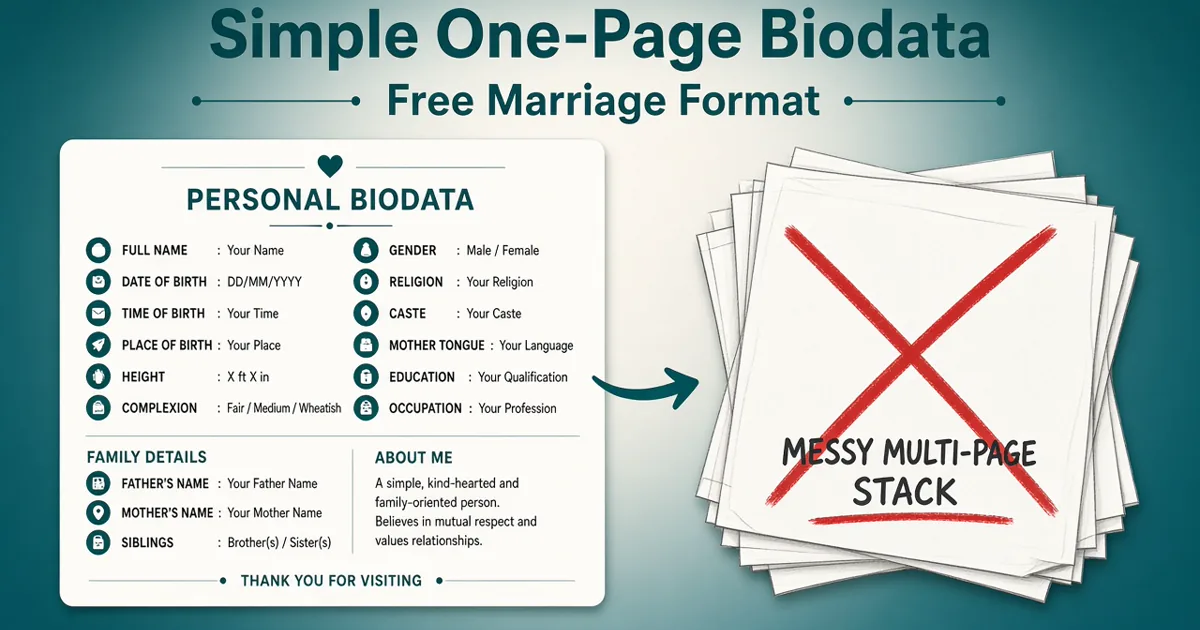
Start from a solid biodata format, compare biodata samples, and confirm what to include — then trim ruthlessly for one page. Broader context: biodata for marriage.
Build a one-page PDF biodata free — no Word formatting headaches.
Open makerWhy one page wins
Most rishta sharing happens on WhatsApp. Elders zoom once, skim education and job, glance at family, and decide whether to reply. A second page of hobbies and decorations rarely helps — it often gets skipped.
One page also forces clarity: you cannot hide vague income or missing family details behind filler. That honesty is exactly what good biodata tips recommend.
Section priority order for one page
When space is tight, rank sections by what families decide on first. Protect the top of the list; compress or cut from the bottom.
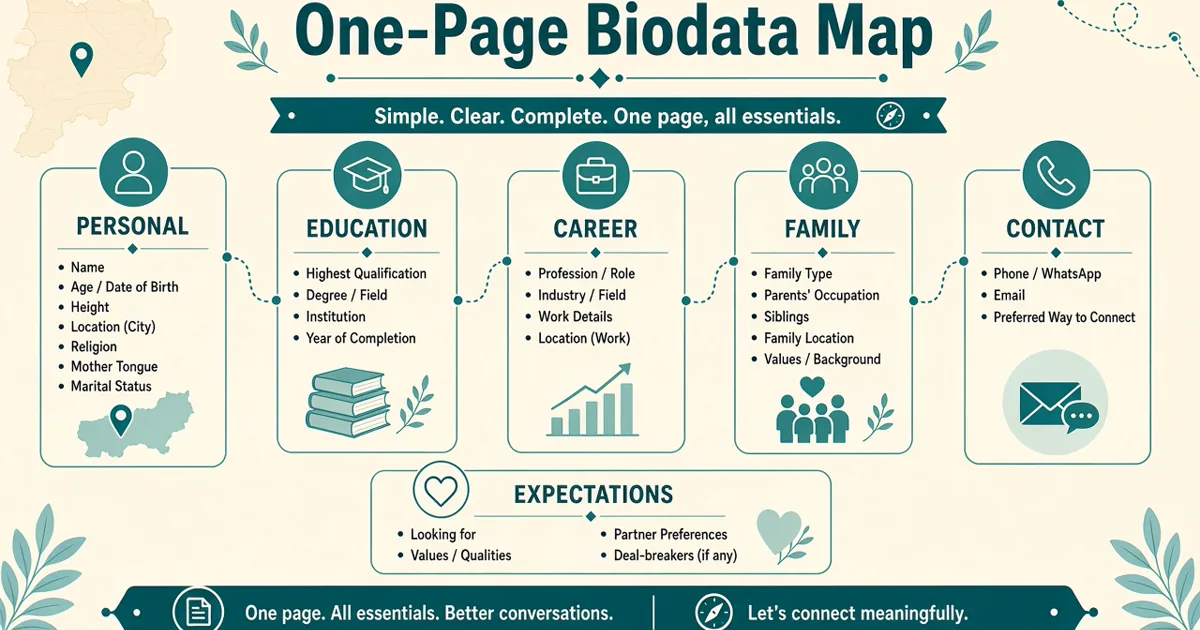
- Photo + name, age, height, city — the five-second skim.
- Education & career — degree, role, income band (see education & career and income & salary).
- Family — parents' work, siblings in one or two lines.
- Community / kundali compact row — only if your process needs it (gotra & caste, kundali details).
- About Me — 3–5 lines, not an essay.
- Partner expectations — 3–6 respectful lines (partner expectations guide).
- Contact — one India parent number + yours.
NRI profiles add country/visa/timezone without inventing a second page — fold them under personal or career. See NRI marriage biodata format.
Minimal section list
- Photo (one clear portrait)
- Personal details — name, DOB, height, city
- Education & career — degree, job, income range
- Family — parents, siblings (short)
- About Me — 3–5 lines max
- Partner expectations — 3–6 lines
- Contact — parent WhatsApp + yours
What to cut first when overflowing
If the preview spills to page two, cut in this order — not by shrinking fonts until nobody can read.
- Extra photos and decorative borders.
- School mark tables and class-10/12 percentage lists.
- Long hobby paragraphs — keep hobbies to a short phrase inside About Me.
- Duplicate contact lines and repeated addresses.
- Full kundali charts — keep a one-line summary; send the chart PDF later if asked.
- Verbose partner "requirements" — trim to essentials.
| Cut this | Keep this instead |
|---|---|
| School percentage tables | Highest degree + college is enough |
| 3–5 photos on page one | One strong photo; more on request |
| Long essay About Me | Keep under ~80 words |
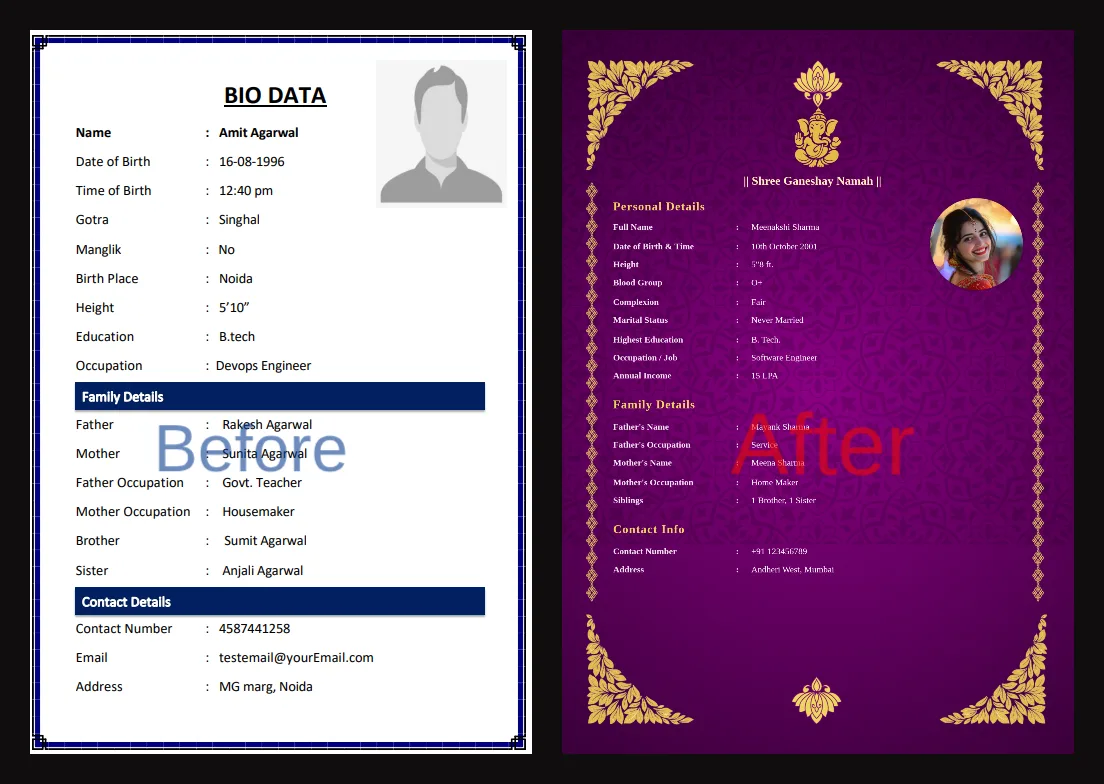
| Heavy floral borders | Clean margins print and forward better |
| Duplicate phone numbers | One India contact block is enough |
Font & spacing tips (plain language)
You do not need design software. Aim for text that a parent can read on a phone without pinching endlessly. Good spacing beats fancy decoration every time in Indian WhatsApp forwards.
- Use one clear heading style and one body text size — mixing five sizes looks messy.
- Leave a little empty margin around the edges; packed pages look harder, not richer.
- Prefer dark text on a light background for WhatsApp forwards; neon or heavy textures blotch after compression.
- If you must shrink something, shorten sentences first — never drop below a comfortable reading size just to fit a hobby list.
- Keep photo large enough to recognise the face; a tiny passport stamp next to walls of text helps no one.
- Section labels like "Education" and "Family" should be easy to spot while scrolling with one thumb.
- Avoid full-page watermarks behind the photo — they often become dark blobs after forwards.
A clean template from the free biodata maker handles spacing for you — fill essentials and export. Compare finished looks with biodata samples.
Sample one-page layout
Top: photo + personal strip. Middle: education/career and family in two columns if space allows. Bottom: About Me, expectations, contact. Leave white space — packed pages look harder, not richer. Broader structure: biodata format · biodata for marriage.
PDF vs Word for one-pagers
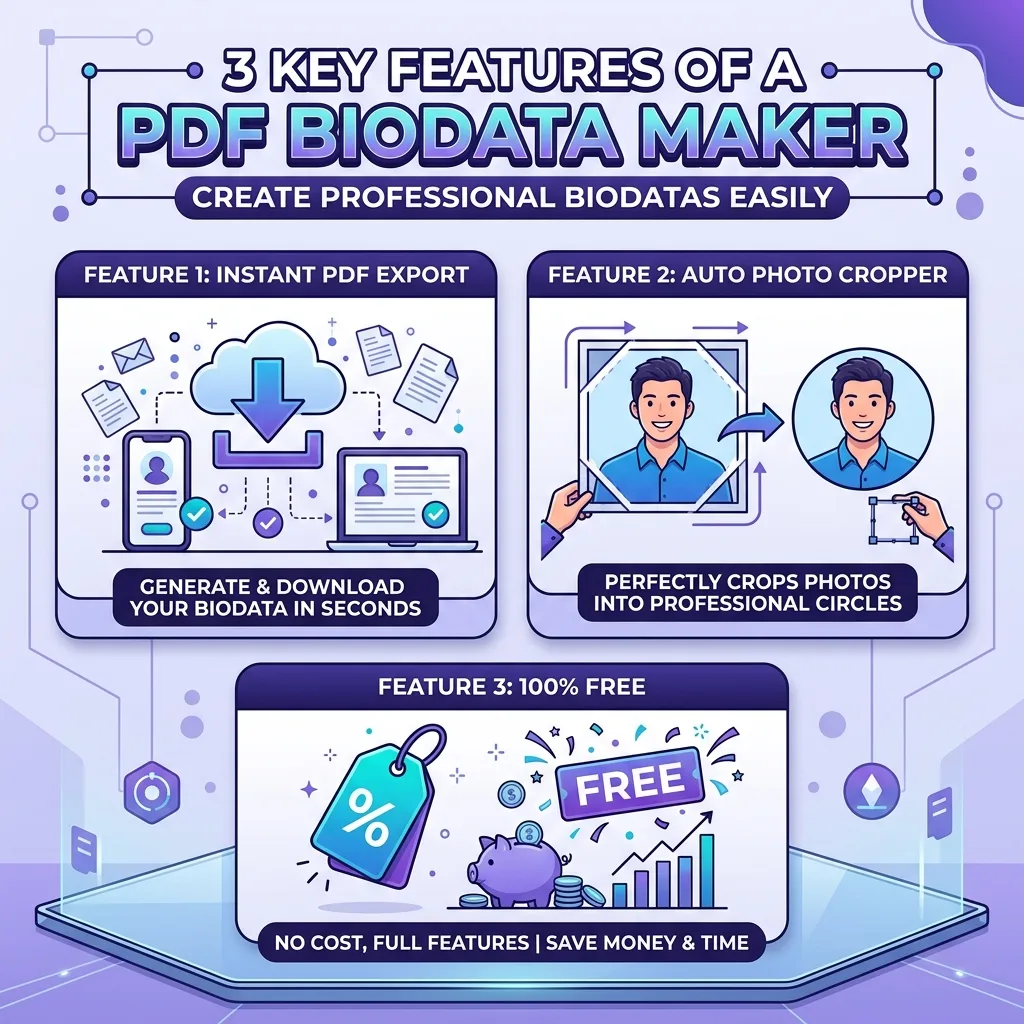
For sharing, choose PDF download. Use Word download only when a relative asks to edit text themselves. PDF preserves your one-page design on every device; Word often reflows, breaks photo alignment, or opens with missing fonts on someone else's phone.
- WhatsApp forwards: PDF document file — not a .docx.
- Editable drafts for parents: keep a Word/private draft offline; share PDF publicly.
- Never paste Aadhaar or other IDs into either format. Citizen digital-document context: India.gov.in.
Print vs WhatsApp variants
Same facts, slightly different presentation. Many families need both: a light WhatsApp PDF and a printout for elders who prefer paper at a relative's house meeting. Print does not mean a second life story — still one page.
- WhatsApp variant: Light file, high-contrast text, one photo, follow a biodata format for WhatsApp. Send as document. Name the file clearly so it survives five forwards: Ananya_Reddy_Biodata.pdf.
- Print variant: Same one page on A4; slightly larger photo is fine; avoid dark full-page backgrounds that waste ink and look muddy on a home printer.
- Do not maintain two conflicting stories — only layout weight differs. Income band and gotra must match across both.
- If an uncle asks for Word so he can "just change the phone number," edit offline and re-export PDF — do not circulate the editable file on large groups.
Privacy reminder when paper copies circulate: biodata contact details & privacy.
Before / after: too long → one page
Example rewrite for Aarav Singh — same person, half the noise. The goal is not to hide facts; it is to surface the ones families decide on in the first minute.
Before (too long)
Three photos, Class 10 and 12 marks tables, 180-word About Me covering every hobby since school, full kundali chart, two addresses, and a partner list with ten demands including exact LPA. Spills to page two on every phone. Relatives skim page one and never open page two.
After (one page)
One photo · B.Tech + job + ₹18–22 LPA · parents/sibling in two lines · 4-line About Me · 4-line expectations · compact kundali row if needed · one contact block. Fits A4 and WhatsApp zoom. Same facts available on a call if someone asks for marks or a full chart later.
A second quick rewrite pattern for Ananya Reddy: cut the long "ideal partner must…" paragraph into three calm lines; move school awards to conversation; keep MBA + analyst role + income band visible without a CV-style bullet storm.
Compare more samples in biodata sample for marriage and decide what to include before you write. Career depth if income is the crowded part: income & salary in marriage biodata.
Boy & girl full minimal field sets
Expand later with marriage biodata for boy or shaadi biodata format for girl — but start from these complete minimal field sets so the page does not bloat.
Boy — minimal full set
Name: Aarav Singh | Age: 29 | Height: 5'10" | City: Pune
DOB: 12 Mar 1997 | Religion: Hindu | Community: — (optional) | Gotra: — (if needed)
Education: B.Tech (CSE), VIT
Career: Software Engineer, product company · CTC ₹18–22 LPA
Family: Father — business · Mother — homemaker · 1 younger sister (studying)
About Me: Grounded, family-oriented; enjoy travel and cricket. Value honesty and shared decisions.
Partner expectations: Kind, educated partner open to living in Pune/Bengaluru; respectful dual-career home.
Contact: Father +91-XXXXXXXXXX · Aarav WhatsApp +91-XXXXXXXXXX
Girl — minimal full set
Name: Ananya Reddy | Age: 27 | Height: 5'4" | City: Bengaluru
DOB: 5 Aug 1998 | Religion: Hindu | Community: — (optional) | Kundali: compact row if needed
Education: MBA (Finance), Christ University
Career: Analyst, MNC · CTC ₹12–15 LPA
Family: Father — bank manager · Mother — teacher · 1 elder brother (married)
About Me: Warm, career-minded; value honesty and mutual respect.
Partner expectations: Respectful partner supportive of dual careers in Bengaluru or elsewhere by mutual choice.
Contact: Mother +91-XXXXXXXXXX · Ananya WhatsApp +91-XXXXXXXXXX
Mobile readability checks
Before you send, open the PDF on your own phone the way relatives will — WhatsApp document preview, then zoom. A biodata that looks perfect on a laptop can fail on a mid-range Android screen with default WhatsApp compression.
- Can you read the job title and city without zooming past 150%?
- Is the face clear in the thumbnail and after one zoom?
- Does any column text get cut at the edges after WhatsApp compression?
- Does a second "blank" page appear because of a tiny overflow line? Delete that orphan line.
- Ask one parent to open the file and tell you the first three things they notice — if they miss education, enlarge that block.
- Test both portrait PDF view and the in-chat document preview; they crop differently.
For girl and boy layouts that still stay mobile-friendly, start from the minimal field sets below, then expand only what your family insists on. Modern vs traditional tone tips: modern vs traditional biodata.
Also review contact details & privacy before broad forwards.
Create your one-page PDF free
Pick a clean template, fill essentials, download and share on WhatsApp.
Create free biodataFamily WhatsApp vs broker one-pagers (same facts, different emphasis)
A simple one-page marriage biodata is not always a single file forever. Many households keep two one-pagers with identical facts and different emphasis — one for trusted relatives, one for broader broker or community lists. Both must stay one page; neither should invent a different gotra, salary, or city.
- Family WhatsApp version: Slightly warmer About Me, parent phone visible, optional compact kundali/community row if elders expect it. Still no Aadhaar, no full flat address. Good default for cousins and known rishta aunties.
- Broker / wide-list version: Same education and career bands; contact may be parent-only; income can say "on request" if you prefer privacy on large forwards. Review contact details & privacy before you export this file.
- Do not diverge on hard facts: If the family PDF says ₹18–22 LPA and the broker PDF says ₹25–30 LPA, someone will notice. Change layout weight — not truth. Income guidance: income & salary in marriage biodata.
- NRI households: The abroad fields (visa, timezone, India contact) belong on both versions. See NRI marriage biodata format.
Practical workflow for Ananya Reddy: fill once in the maker, export family PDF, then duplicate the draft, soften contact/income disclosure, export broker PDF — still one page each. Label filenames clearly (Ananya_Family.pdf / Ananya_Broker.pdf) so elders do not forward the wrong file into a large group.
When space gets tight on either version, cut decoration and school tables first — never shrink fonts until the page becomes unreadable. Priority order and cut list above still apply. Build both from the free biodata maker and share as WhatsApp-ready PDFs. One last check: open each file on your phone and confirm job title and city remain readable without aggressive pinch-zoom.
Pro tips for one-page biodata
- Lead with photo + personal strip; put About Me and expectations near the bottom.
- Cut school mark tables and extra photos so fonts stay readable on phones.
- Prefer PDF over Word so WhatsApp forwards do not reflow your layout.
- Use a free BiodataBuilder template, then export a one-page PDF for WhatsApp.
- Keep kundali (if needed) to one compact row — not a full chart.
- If you keep family and broker PDFs, match hard facts and differ only on contact/income disclosure.
Common mistakes
- Sending a 3-page Word file that breaks on mobile
- Tiny fonts squeezed to "fit" everything
- Heavy floral borders that blotch after WhatsApp compression
- Multiple photos crowding page one
- Vague education or income that forces a follow-up call
Expanded checklist before you send
- Fits on one A4 / phone screen without tiny fonts
- Photo sharp and recent (one only on page one)
- Income and education not vague
- Family section short but complete
- About Me under ~80 words
- Expectations respectful and brief (3–6 lines)
- PDF (not Word) ready for WhatsApp
- File size comfortable for forwards (aim under ~2 MB)
- Spelling of names, city, and company checked
- Kundali (if any) is one compact row — not a full chart
- Contact privacy reviewed — no Aadhaar or ID numbers
- Print variant checked if elders need a paper copy
- Mobile zoom test: can read job title without squinting
- Filename clear: FirstName_LastName_Biodata.pdf
FAQ
Why is a one-page marriage biodata better?
Families skim on phones. One page keeps photo, education, job, family, and expectations visible without scrolling through fluff. Multi-page biodatas get skimmed or ignored.
What sections belong on a simple one-page biodata?
Photo + personal details, education & career, family background, short About Me, partner expectations (3–5 lines), and contact. Optional: gotra/manglik if your community needs them — keep them compact.
What should I cut from a long biodata?
Cut school marks lists, long hobby essays, multiple photos, decorative borders, and repeated contact info. Keep one sharp photo and one short About Me paragraph.
Is PDF better than Word for one-page biodata?
Yes. PDF keeps layout fixed on every phone. Word often reflows, breaks alignment, or fails to open cleanly on WhatsApp. Use PDF for sharing; Word only if someone specifically requests an editable file.
Can boy and girl use the same one-page format?
Yes — same section order. Wording in About Me and expectations differs; the layout stays identical so families can compare profiles quickly.
How do I make a one-page biodata WhatsApp-ready?
Export a light PDF (ideally under 2 MB), avoid heavy backgrounds, use readable fonts, and send the file itself — not a blurry screenshot collage.
Should kundali details fit on one page?
If needed, put Rashi, Nakshatra, Gotra, and Manglik in one compact row — not a full chart. Charts belong in a separate kundali PDF if families ask.
Where can I create a free one-page marriage biodata PDF?
Use BiodataBuilder.in — choose a clean template, fill only essential fields, and download a one-page PDF ready for WhatsApp.
Conclusion
A simple one-page marriage biodata is easier to read, forward, and trust. Cut clutter, keep the essentials, then build a free PDF biodata template and send on WhatsApp with confidence.
What to Read Next
Ready to create your biodata?
Use our free builder to make a WhatsApp-ready marriage biodata PDF in minutes.
Open free biodata maker